Groups
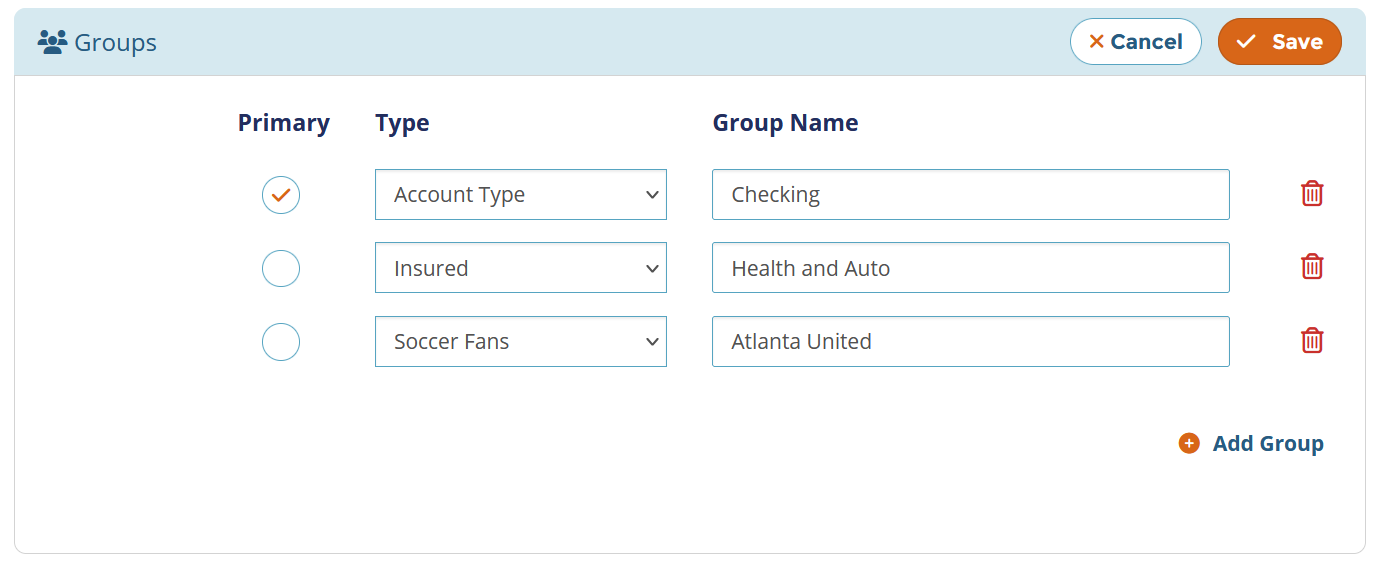
Group Types are used for classifying Groups. For example, you can set up groups named “Family”, “Football Fans”, “Employee”, etc. which can be used to connect a set of user profiles based on collective interests and characteristics. When assigning a user profile to a Group, you pass in a Group Name and associate it with any of the available Group Types.
You can also designate a profile as “Primary” within a group. When driving customer experiences, you can retrieve all profiles that are a part of a group using the Profile Id or any contact element of the primary profile associated with that group.

To present users with relevant groups, use the GET Groups API to retrieve the list of all available groups. The group selection can be displayed as a dropdown or any other suitable UI component depending on your design needs and whether single or multiple selections are allowed.
What made this section unhelpful for you?


On this page
- Groups